Step 1: Go to Corporate Site Backend
corporate.sobewff.org
Step 2: Add Page
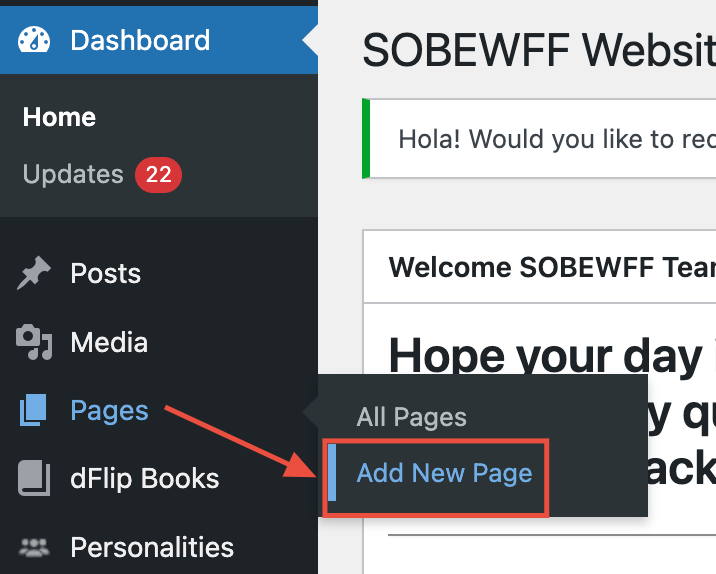
From the left-hand menu, hover over Pages, then select Add Page.
Step 3: Add Data
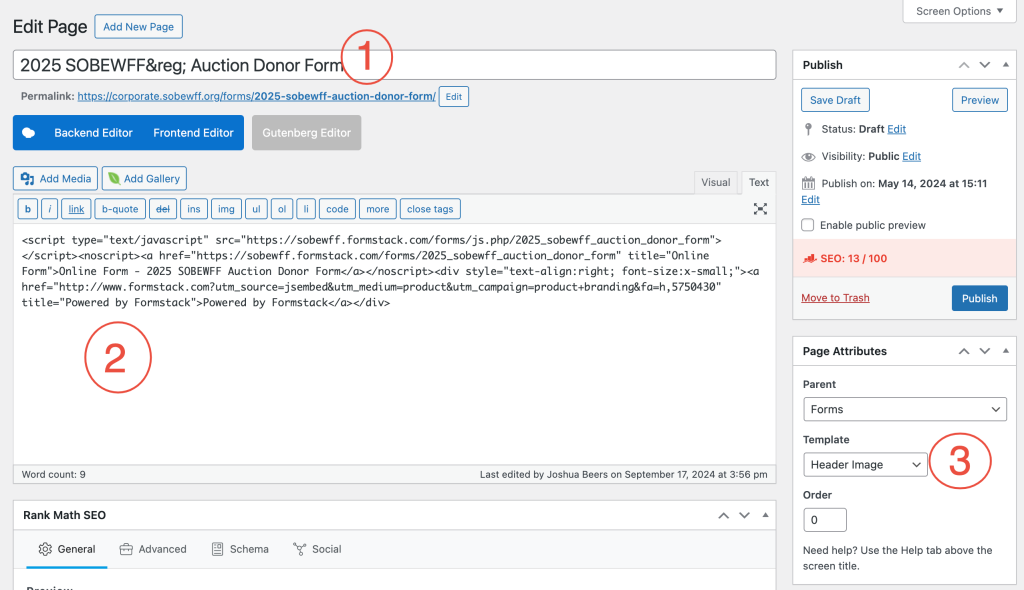
Fill out the following fields:
-
- Title
- Formstack embed code (paste this into the “Text” editor, not “Visual”)
- Page Attributes:
Parent = Forms
Template = Header Image
Step 4: Publish
Click the blue Publish button.