Step 1: Edit Homepage
From the left-hand menu, click Pages, then search for / select Home

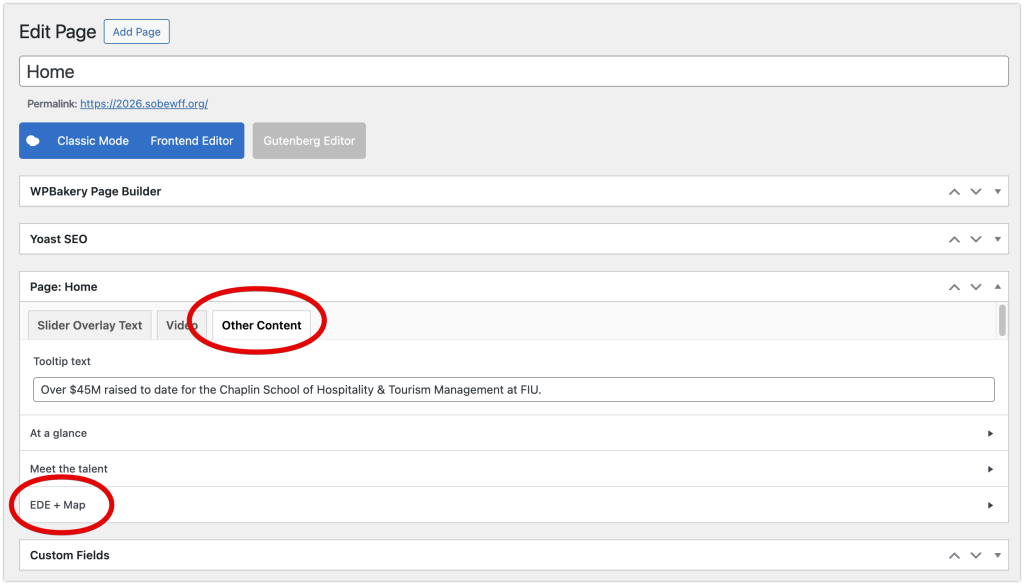
Step 2: Navigate to the EDE + Map section
Select the Other Content tab, then the EDE + Map dropdown
Step 3: Update Text / Images / Button / Link
For any of the 4 sliders, you can update the Slide Title, Dates, Title, Description, or Image.
Please make sure to pay special attention to the H-Tags (e.g. <h3> or <h4>), as these are important for the format on the frontend.

Step 4: Update Page
When you are done editing, click the blue Update button.
