Step 1: Add Ad
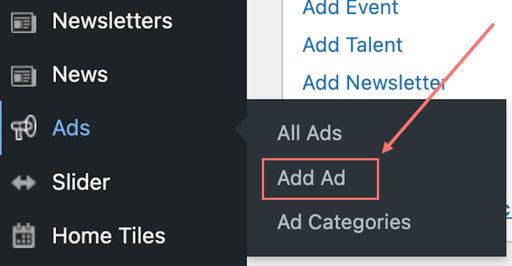
From the left-hand menu, hover over Ads, then select Add Ad.
Step 2: Enter all Ad Data & Image
- Title: The title won’t display on the frontend – it’s just for your records in the backend.
- Link: This is the click-through link to the ad’s website.
- Copy and paste the full URL from your browser. It must include the “https://” or “http://” Make sure there are no extra spaces before, in, or after the URL.
- Click “Open in New window” if the link is outside of the nycwff.org site.
- Ad Category: Select if the ad is a sidebar or header ad
- Featured Image: Upload ad image. Use specs from the web spec sheet.

Step 3: Publish Ad
Click the blue Publish button to put the advertisement live on the website.
